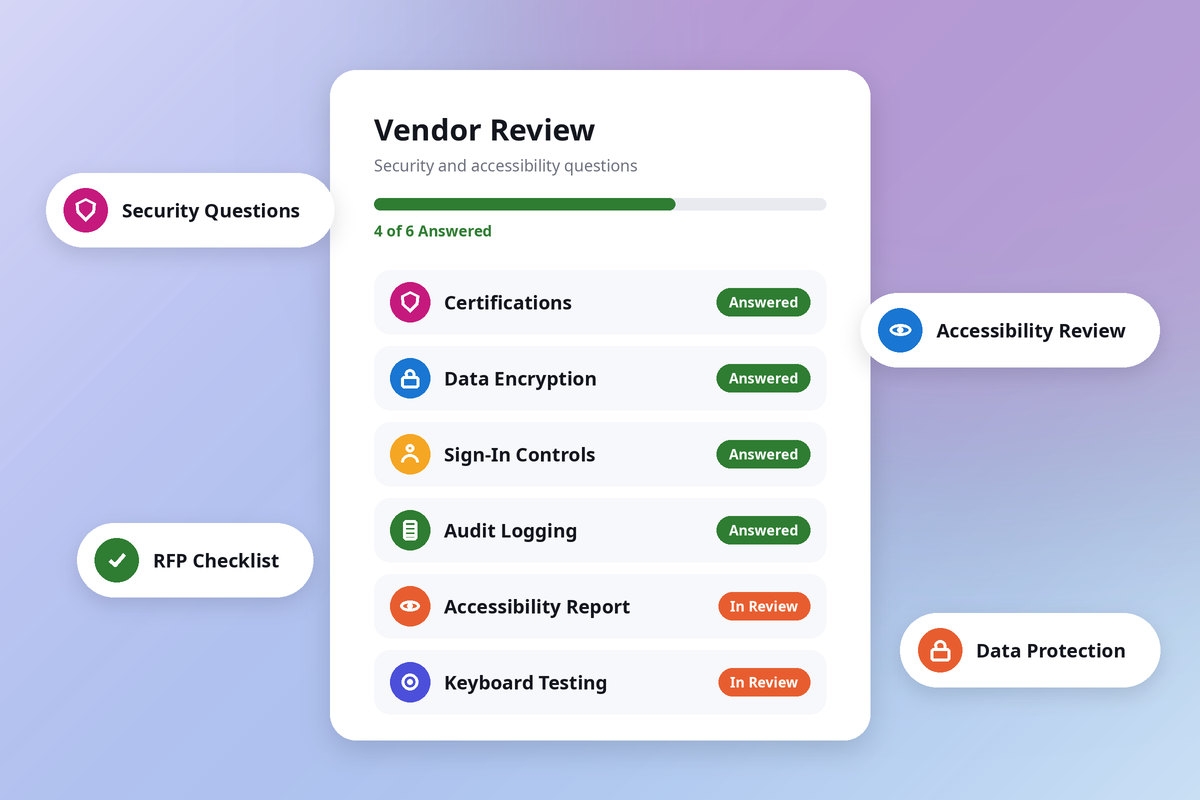
Case management software holds some of the most sensitive information a public agency keeps. It stores participants' names, Social Security numbers, income details, case notes, and documents about their lives. It is also the system many residents use to apply for services, upload documents, and check on their progress.
That combination makes security and accessibility two of the most important parts of any evaluation. They are also the parts most often left until the end. When an IT security review or an accessibility finding surfaces after a vendor has been selected, contracts can stall for months.
This article lists the questions to ask vendors about government case management software security requirements and accessibility, and explains what a strong answer looks like. It is written for IT security staff, ADA coordinators, procurement leads, and program directors. If you are earlier in the process, start with our full guide to choosing government case management software, then come back here when you are ready to write requirements.
Why these questions belong early in your evaluation
Security and accessibility answers can rule a vendor out entirely. A product that lacks the security authorization your state requires, or that cannot show how its participant screens meet the accessibility standard, may not be one you can buy, no matter how well it performs in a demo.
Asking early has three benefits:
- You shortlist only vendors who can meet your baseline requirements.
- Your IT security staff and ADA coordinator help shape the requirements instead of reviewing them at the last minute.
- Vendors know up front what evidence you expect, so their proposals are easier to compare.
What the ADA Title II rule means for vendor software
The Department of Justice's ADA Title II rule requires state and local government web content and mobile apps to meet the Web Content Accessibility Guidelines Version 2.1 Level AA, known as WCAG 2.1 Level AA. According to ADA.gov's First Steps guidance for the web rule, complying with WCAG 2.1 Level AA is required, even though the standard includes the word "guidelines."
On April 20, 2026, the Department of Justice published an interim final rule that extended the compliance dates, according to ADA.gov's Title II web rule page. The current dates are:
|
Public entity
|
Compliance date
|
|
State or local governments with a population of 50,000 or more
|
April 26, 2027
|
|
State or local governments with a population under 50,000
|
April 26, 2028
|
|
Special district governments
|
April 26, 2028
|
The rule matters for software purchases because it covers more than your own website. The same ADA.gov guidance says a public entity must make sure that content or mobile apps a vendor or contractor provides on its behalf meet WCAG 2.1 Level AA. It also says the entity remains responsible even if it outsources accessibility work.
In practice, that means a participant portal, an online application, or a mobile app your agency offers through a vendor needs to be accessible. Your agency cannot transfer that responsibility to the vendor by contract, so the evaluation is where you confirm it.
The rule includes a few exceptions. One covers individualized, password-protected documents, such as PDFs, that are about a specific person, property, or account. That exception is narrow. It applies to certain documents, not to the screens residents use to apply or check their status. Ask your legal team or ADA coordinator how the exceptions apply to your programs before you rely on them.
Security questions to ask vendors
Ask for evidence rather than general assurances. A good answer names the control, explains how it works, and points to documentation you can review.
Organize your questions with the NIST Cybersecurity Framework
Many agencies already use the NIST Cybersecurity Framework 2.0 to manage cybersecurity risk, and it gives your vendor questions a structure your IT security team will recognize. The framework groups outcomes into six functions: Govern, Identify, Protect, Detect, Respond, and Recover. The Govern function, which NIST added in version 2.0, includes cybersecurity supply chain risk management, so overseeing suppliers and putting security requirements into contracts is part of the framework itself, according to NIST's CSF 2.0 resource and overview guide.
The questions below map to those functions. Certifications, contracts, and secure development fall under Govern. Encryption and access control fall under Protect. Audit logging falls under Detect. Incident response falls under Respond, and backups and recovery fall under Recover.
Certifications and authorizations
- Which independent audits or certifications does the product hold, such as a SOC 2 report or ISO 27001 certification? Can we review the current report or certificate?
- Do the certifications cover the software itself, the company, or only the hosting provider's data centers?
- For a SOC 2 report, is it Type 1 or Type 2, and what time period does it cover?
- Does the product hold the security authorization our state requires, such as GovRAMP or TX-RAMP? What is its current status?
The second question deserves attention. Many vendors host their software in certified data centers, and that is valuable. A data center certification, however, describes the facility and its operations, not every control in the vendor's application. Ask vendors to separate the two clearly.
GovRAMP is a nonprofit program that gives governments a standardized way to assess and verify cloud security. It offers several levels, from a Security Snapshot based on 40 NIST controls up to Authorized and Provisional verification based on more than 300 NIST controls, according to GovRAMP. GovRAMP was known as StateRAMP until its February 2025 rebrand. Some states run their own programs, such as Texas with TX-RAMP. Confirm which program and level your state requires before you finalize your shortlist.
Data protection
- How is data encrypted when it is stored and when it moves between systems? Which encryption standards are used?
- Are sensitive fields, such as Social Security numbers, encrypted separately within the database?
- Who at the vendor can see our data, and under what circumstances?
- If we store federal tax information or health records, how does the product support the safeguards those data types require?
Access control and sign-in
- Can we set permissions by role, program, and location, so staff see only the participants and fields they need?
- Does the product support multifactor authentication, and is it turned on by default? Can we require it for all staff?
- Does it support standards-based single sign-on with our identity provider, and is that included at no extra cost?
- Has the vendor eliminated default passwords?
- How do partner organizations sign in, and how is their access limited to the participants they serve?
Audit logging
- Does the system log who viewed, created, changed, or exported a record, and when?
- Can our administrators review those logs without filing a support request?
- How long are logs kept, and are they included at no extra cost?
CISA's Secure by Demand Guide recommends that software as a service providers keep security logs and make them available to customers for at least six months at no additional charge. That is a useful benchmark when you compare answers.
Secure development and vulnerability handling
- How does the vendor test new releases for security issues before they reach production?
- How are security updates applied, and will we need to take any action?
- Can the vendor provide a software bill of materials that lists third-party and open source components?
- Has the vendor published a vulnerability disclosure policy?
- Which common classes of vulnerability has the vendor addressed, and what is the plan for the rest?
These questions come from CISA guidance written for software buyers. The Secure by Demand Guide lists questions about authentication, vulnerability classes, software bills of materials, and vulnerability disclosure. CISA's Software Acquisition Guide for Government Enterprise Consumers goes further, with questions on supplier governance, development practices, deployment, and vulnerability management that procurement staff can use without becoming security experts. CISA also offers a Supplier Response Web Tool that turns the guide into a questionnaire you can share with vendors.
Hosting, data location, and separation
- Where is our data hosted? Does it stay within the United States?
- Is there a secondary site for recovery, and where is it?
- How is our data kept separate from other customers' data and from development environments?
Backups, recovery, and uptime
- How often are backups taken, and how quickly can data be restored?
- What uptime does the vendor commit to in the contract?
- When was the disaster recovery plan last tested?
Incident response
- How and how quickly will the vendor notify us of a security incident that affects our data?
- Who is our contact during an incident?
- Will the vendor support our own breach notification obligations under state law?
Data ownership and exit
- Do we own our data, including documents and attachments?
- In what format can we export all of our data, and at what cost?
- What happens to our data after the contract ends?
Accessibility questions to ask vendors
Accessibility applies to every person who uses the system. Residents who use screen readers, keyboard navigation, magnification, or voice control need to complete applications and upload documents. Staff with disabilities need to do their jobs in the same system.
Documentation
- Can you provide a current Accessibility Conformance Report for this product?
- Which standard does the report evaluate against? Does it include WCAG 2.1 Level AA?
- Which product version does the report cover, and when was it last updated?
- Where the report lists criteria that are only partially supported, what is the plan and timeline to fix them?
An Accessibility Conformance Report, often created with a Voluntary Product Accessibility Template (VPAT), explains how a product meets accessibility standards. Section508.gov describes these reports as a way to help government buyers assess accessibility during market research and when they evaluate proposals. Read the report closely. Entries marked "partially supports" or "does not support" are where you should ask follow-up questions.
Coverage
- Does the report cover the participant portal, the online application, and the mobile app, as well as staff screens?
- Are notices, letters, and PDFs the system generates accessible?
- If our staff build their own forms in the system, what helps them keep those forms accessible?
The last question matters for configurable software. When your staff can build intake forms and portal pages, part of the accessibility work moves to your agency. Ask what guidance, built-in checks, or default settings the vendor provides.
Testing and fixes
- How does the vendor test for accessibility? Does testing include people who use assistive technology?
- How are accessibility issues prioritized and fixed after launch? Can fix timelines be written into the contract?
- How are accessibility requirements handled when new features are released?
Test it yourself
Documentation tells you what the vendor reports. Hands-on testing shows you what residents will experience. During your evaluation, ask your ADA coordinator or an accessibility tester to try a few key tasks:
- Complete an application using only a keyboard.
- Move through the participant portal with a screen reader.
- Zoom the page to 200 percent and check that nothing is cut off.
- Submit a form with an error and check that the error message is clear and announced.
- Upload a document from a phone using the mobile app.
How to use these questions in your procurement
Turn the most important questions into requirements in your RFP. For each one, ask vendors to describe how they meet it and to attach evidence, such as a certificate, an audit report, or an Accessibility Conformance Report.
Then score the evidence, not the confidence of the answer. A vendor that provides a current report with a clear plan for its gaps is often a safer choice than one that claims full compliance without documentation.
Finally, carry the answers into the contract. Useful terms include breach notification timelines, audit rights, hosting location requirements, WCAG 2.1 Level AA conformance, and timelines for fixing accessibility issues. Our buyer's guide covers contract terms and a weighted scoring model in more detail, and our checklist of case management software features for public agencies covers the functional side of your requirements.
Strong vendor security is only part of the picture. Once the system is live, staff habits matter just as much. Our article on cybersecurity tips for WIOA service providers covers everyday practices that protect participant data.
Quick checklist
- Bring IT security staff and your ADA coordinator in while writing requirements
- Organize security questions by the NIST Cybersecurity Framework 2.0 functions
- Confirm which security authorization and level your state requires
- Ask vendors to separate software certifications from hosting certifications
- Request current audit reports or certificates
- Confirm encryption, role-based access, multifactor authentication, and audit logging
- Ask for a software bill of materials and a vulnerability disclosure policy
- Confirm hosting location, backups, recovery testing, and uptime commitments
- Set breach notification timelines and data export terms
- Request a current Accessibility Conformance Report that includes WCAG 2.1 Level AA
- Confirm the report covers the participant portal, mobile app, and generated documents
- Test key participant tasks with a keyboard and a screen reader
- Write accessibility conformance and fix timelines into the contract
- Note your compliance date: April 26, 2027 or April 26, 2028
How myOneFlow approaches security and accessibility
myOneFlow is a configurable case management platform for workforce development, adult education, apprenticeship, and other public service programs. Agencies use it to manage intake, eligibility, services, referrals, and reporting from one participant record. You can see how it works on our government case management software page.
Here is how myOneFlow answers several of the questions above, based on the myOneFlow Trust Center.
Data protection. myOneFlow encrypts data at rest with AES-256 and in transit with SSL/TLS. Key fields are encrypted and stored securely in the database.
Access and sign-in. The platform supports role-based access control, multifactor authentication, and single sign-on, along with audit logging and activity monitoring.
Certifications. The Trust Center lists ISO 27001:2022 certification and SOC 2 Type 2, and the platform is hosted in data centers certified under standards that include both. myOneFlow is a TX-RAMP Level 2 certified cloud solution and is COV-RAMP certified by the Virginia Information Technologies Agency for use by Commonwealth of Virginia state agencies.
Hosting. All data is hosted in the continental United States, with a primary data center in Dallas, Texas and a secondary data center in Columbus, Ohio. The production environment is kept separate from development networks, and myOneFlow commits to 99.9 percent uptime.
Accessibility. myOneFlow provides VPAT accessibility conformance documentation, which your ADA coordinator can review as part of your evaluation.
Current certifications and documentation are listed in the myOneFlow Trust Center.
Frequently asked questions
What are the security requirements for government case management software?
Requirements vary by state and program, but most agencies look for independent audits or certifications, encryption of stored and transmitted data, role-based access, multifactor authentication, audit logging, US data hosting, tested backups, and clear breach notification terms. Many states also require a security authorization such as GovRAMP or TX-RAMP. Frameworks such as the NIST Cybersecurity Framework 2.0 and CISA's guidance for software buyers can help you organize these requirements.
Does the ADA Title II rule apply to software from vendors?
Yes. According to ADA.gov, a state or local government must make sure that web content and mobile apps a vendor provides on its behalf meet WCAG 2.1 Level AA. The agency stays responsible even when a vendor builds and runs the software.
When do state and local governments need to comply with the ADA Title II web rule?
Under the interim final rule published April 20, 2026, governments with a population of 50,000 or more must comply by April 26, 2027. Smaller governments and special district governments must comply by April 26, 2028.
What is the difference between a VPAT and an Accessibility Conformance Report?
A VPAT is the template. An Accessibility Conformance Report is the completed document that explains how a specific product meets accessibility standards. Ask for the report, check which standard and product version it covers, and review any criteria marked as partially supported.
Plan your next step
Security and accessibility reviews go faster when the questions are on the table from the start. Share this list with your IT security staff and ADA coordinator, agree on your requirements, and include them in your RFP.
When you are ready to review myOneFlow's documentation or see how the participant portal works, talk with the myOneFlow team.