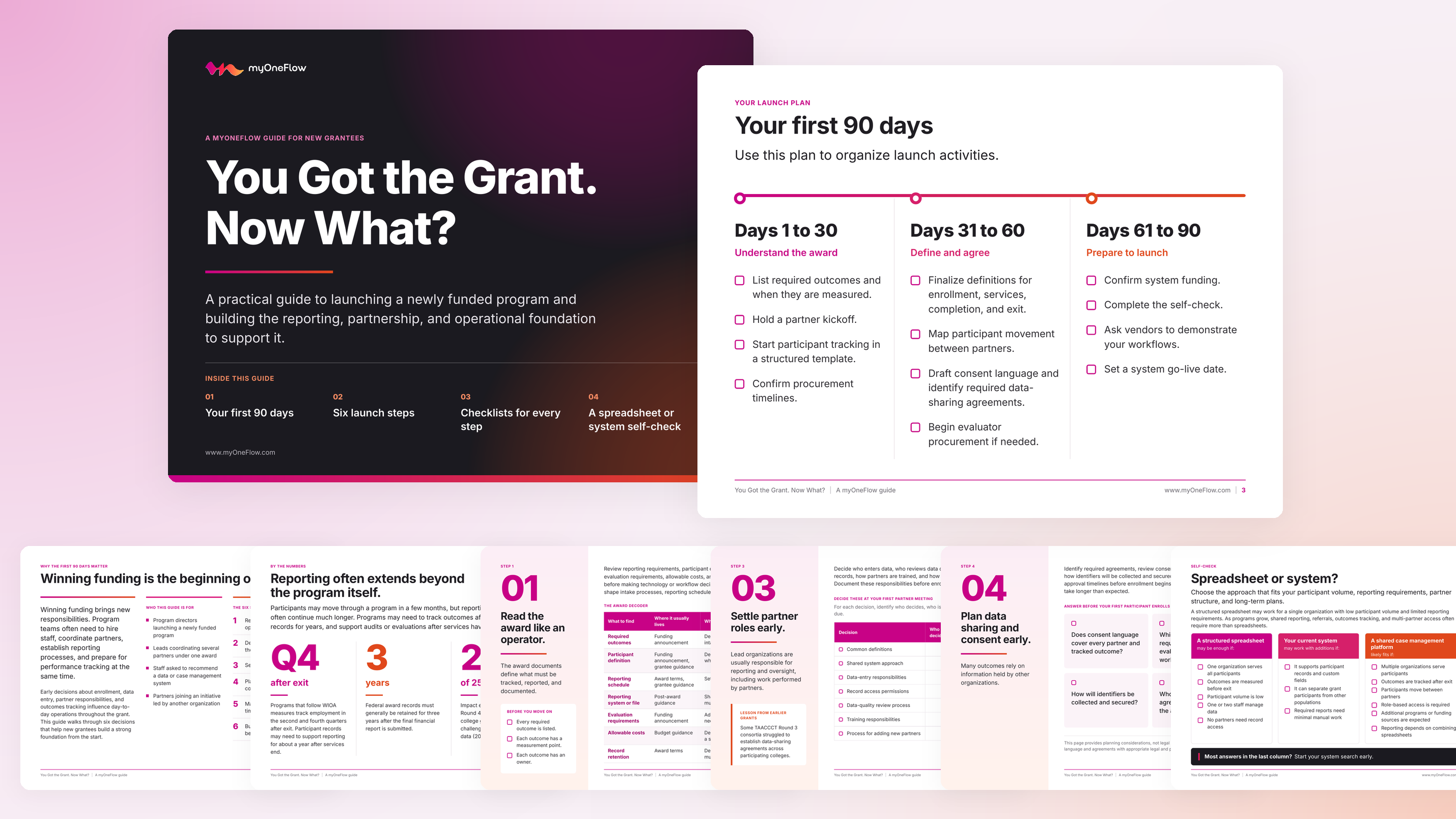
You Got the Grant. Now What? A Guide to Launching a Newly Funded Program
Written by:
myOneFlow StaffPosted:
November 19, 2026
Winning a grant brings new responsibilities along with the funding. In the first 90 days, program teams often need to hire staff, coordinate partners, set up reporting processes, and prepare for performance tracking all at once. The decisions they make early on shape daily operations for the life of the grant.
Download the guide below for practical guidance on launching a newly funded program. It covers reading award requirements and defining key program terms, settling partner roles, planning data sharing, and budgeting for the systems that support reporting.
Inside, we focus on:
- A 90-day launch plan for understanding the award, agreeing on definitions, and preparing to launch
- Why reporting requirements often continue long after participants exit the program
- Six decisions to make before your first participant enrolls
- How to read award documents for required outcomes, participant definitions, reporting schedules, and record retention
- Defining enrollment, services, completion, exit, credentials, and partner handoffs in writing
- Assigning partner responsibilities for data entry, data quality, record access, and training
- Planning data sharing, consent, and procurement timelines before enrollment begins
- Budgeting for system setup and long-term support beyond the grant period
- How to assess whether a spreadsheet, your current system, or a shared case management platform fits your program
Download the Guide
Read More
Recent Blogs
You Got the Grant. Now What? A Guide to Launching a Newly Funded Program
1 min read
Security and Accessibility Questions to Ask Before Buying Government Case Management Software
1 min read
The Future Starts Now
Modernize program management at scale with an AI-driven, human-centered solution that empowers participants and staff. Join organizations nationwide transforming workforce development, work-based learning, adult education, and public service delivery with myOneFlow.